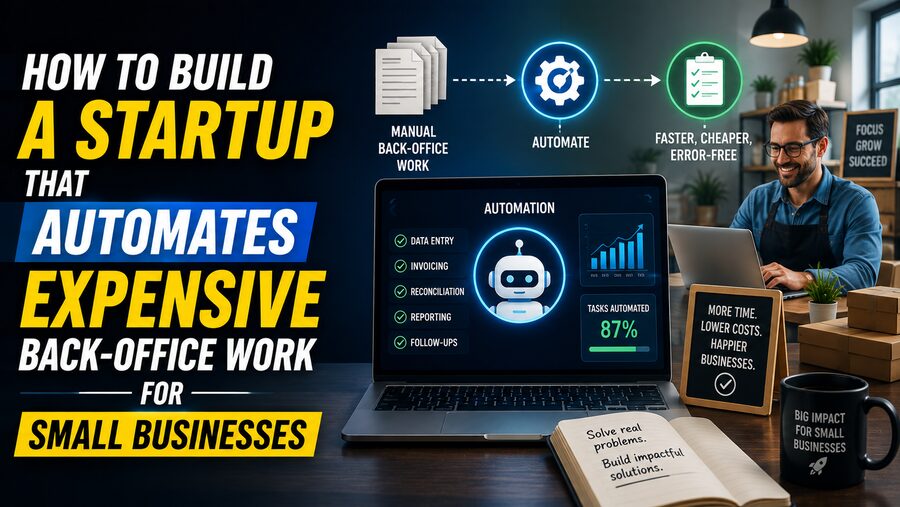

Many small businesses spend surprising amounts of time and money on work that customers never see. Invoices must be created and followed up. Bills need to be entered. Receipts have to be categorized. Payroll data must be checked. Vendor forms need to be completed. Insurance documents expire. Reports must be assembled. Employees copy information between spreadsheets, email, accounting software, and industry-specific systems. 🧾💻
This is back-office work: the administrative activity required to keep a business operating.
For a startup founder, these workflows can represent an attractive opportunity. A small business might be unwilling to pay for a broad enterprise software platform, but it may happily pay for a product that removes an expensive, repetitive task that consumes hours every week.
The strongest opportunities are rarely based on simply saying, “We use AI to automate administration.” A successful startup usually identifies one painful workflow, for one specific type of business, where automation creates measurable economic value.
That focus is the foundation of a strong back-office automation company. 🎯
🏢 What Counts as Back-Office Work?
Back-office work includes activities that support the business without directly delivering the customer-facing product or service.
Examples include:
- 🧾 Accounts payable
- 💳 Accounts receivable
- 📊 Bookkeeping
- 🧑💼 Payroll administration
- 📄 Document processing
- 🛡️ Compliance tracking
- 📦 Purchase-order management
- 🤝 Vendor onboarding
- 📅 Scheduling and dispatch coordination
- 📝 Insurance paperwork
- 📧 Customer follow-up
- 🏦 Bank reconciliation
- 📂 Record keeping
- 📈 Financial reporting
For a large corporation, these activities may be handled by specialized departments.
A small business often has one office manager, bookkeeper, owner, or administrator doing many of them manually.
That creates an opportunity for software that acts like an inexpensive digital operations team. 🤖
💰 Start With Expensive Work, Not Interesting Technology
A common startup mistake is beginning with a technology and searching for somewhere to use it.
For example:
“We should build an AI agent for small businesses.”
That is too broad.
A better starting point is:
“Which recurring administrative task is costing a specific business thousands of dollars per month?”
Look for workflows with several characteristics:
- They happen frequently.
- They consume significant staff time.
- They involve repetitive decisions.
- They use structured or semi-structured information.
- Errors create real costs.
- Existing software does not eliminate the manual work.
- The customer already pays someone to perform the task.
If a company already spends $4,000 per month on a process, software that reliably reduces that cost to $1,500 creates an obvious economic argument.
The customer’s existing labor expense becomes your potential software budget. 💡
🎯 Choose a Narrow Industry First
“Small businesses” is not a useful initial market.
A plumbing company, dental clinic, freight broker, property manager, accounting firm, and construction subcontractor may all be small businesses, but their back offices operate very differently.
Vertical specialization often makes automation much more valuable.
Instead of building:
AI invoice automation for small businesses
consider:
Invoice reconciliation for commercial HVAC contractors
or:
Insurance verification for physical therapy clinics
or:
Proof-of-delivery processing for regional trucking companies
or:
Vendor compliance tracking for property-management firms
Narrow markets allow you to understand the terminology, documents, exceptions, software systems, and regulations that define the workflow.
That domain knowledge can become a competitive advantage. 🧠
🔎 Find Workflows Where Employees Copy Information Between Systems
One of the strongest signals of an automation opportunity is a person acting as the connection between software systems.
Imagine an employee who repeatedly:
- Opens an email attachment.
- Reads a PDF invoice.
- Finds a customer in an accounting system.
- Copies the invoice number.
- Enters the amount.
- Checks a purchase order.
- Updates a spreadsheet.
- Sends an approval email.
- Files the document.
That employee is effectively functioning as a human API.
Modern automation tools can potentially combine document extraction, software integrations, business rules, and AI reasoning to perform much of this process automatically. 🔄
The more copying, reformatting, rechecking, and routing involved, the more promising the workflow may be.
🗣️ Interview the Person Doing the Work
Founders often interview owners because owners have purchasing authority.
That is useful—but not enough.
You should also understand the workflow from the person actually performing it.
Ask them to show you what happens from beginning to end.
Useful questions include:
- What starts this process?
- Which systems do you open?
- What information do you copy?
- Where do mistakes happen?
- Which cases are easy?
- Which cases require judgment?
- What happens when something goes wrong?
- How often does the process occur?
- How long does each case take?
- Who reviews your work?
- What causes delays?
Do not rely only on descriptions.
Watching someone perform the task can reveal dozens of hidden steps they may not think to mention. 👀
⏱️ Quantify the Cost of the Workflow
A workflow becomes a startup opportunity when its economics are clear.
Suppose a property-management company has two administrators who collectively spend 60 hours per week processing vendor documentation.
At an all-in labor cost of $30 per hour:
60 × $30 = $1,800 per week
That is roughly:
$93,600 per year
If your product reduces the workload by 70%, the theoretical labor-value creation is more than:
$65,000 annually
You do not need to charge the full amount.
A product costing $1,000 per month could still deliver a very attractive return on investment.
This type of ROI calculation makes selling much easier. 📊
🤖 Decide What Should Actually Be Automated
Trying to automate 100% of a workflow from day one is often a mistake.
Many back-office processes contain a mixture of:
- Highly repetitive cases
- Predictable exceptions
- Ambiguous documents
- Unusual customer situations
- High-risk decisions
A better design is often:
Automate the routine 70–90% and route uncertain cases to a human.
For example:
✅ Invoice matches purchase order → automatically approve.
⚠️ Amount differs by 4% → request review.
❌ Missing vendor information → send to administrator.
This human-in-the-loop approach can deliver most of the economic benefit without requiring impossible levels of automation accuracy.
🧠 Use AI Where Rules Alone Are Insufficient
Traditional automation works well when every input follows a predictable structure.
Back-office workflows often do not.
A business may receive information through:
- PDFs
- Emails
- Scanned forms
- Spreadsheets
- Photos
- Free-text messages
- Vendor portals
AI can help extract and interpret this messy information.
For example, an AI-powered system might identify:
Vendor: Acme Supply
Invoice number: 10482
Amount: $7,216.40
Due date: September 30
Purchase order: PO-8831
The system can then compare those values with structured records in accounting or ERP software.
The valuable product is not the AI extraction alone.
It is the complete workflow:
Receive → understand → verify → decide → update systems → notify humans ⚙️
🔌 Integrations Are Often More Important Than the AI
Customers rarely want another isolated dashboard.
They want automation that works with the software they already use.
That means integrations can become one of the hardest and most important parts of the product.
Your startup may need to connect with:
- Accounting software
- Payroll systems
- CRM platforms
- Banking systems
- Industry-specific ERPs
- Scheduling tools
- Document-storage platforms
A brilliant AI model that produces results requiring employees to manually copy them into another system has not fully automated the workflow.
The best product often disappears into the customer’s existing operations. 🔗
📧 Email Can Be an Extremely Powerful Interface
Many small-business workflows still begin in email.
That can actually simplify adoption.
Instead of requiring customers to retrain every vendor, your product might provide an address such as:
Vendors continue sending invoices by email.
Your system receives the message, extracts attachments, classifies documents, performs checks, updates accounting software, and asks for approval only when necessary.
The customer changes very little about how outsiders interact with them.
Reducing behavior change can dramatically improve adoption. 📩
🧑💻 Start With a “Concierge” Version
Your first product does not have to be fully automated.
Suppose you want to automate insurance-certificate verification for construction companies.
Instead of spending six months building a complete platform, you could initially:
- Receive the documents.
- Use software to extract basic data.
- Have your team manually verify uncertain fields.
- Deliver structured results to the customer.
- Track every exception.
From the customer’s perspective, the outcome is already valuable.
Behind the scenes, you are learning exactly which parts are automatable.
This is sometimes called a concierge MVP.
It helps you avoid automating a workflow you do not yet understand. 🧪
📝 Build an Exception Library
The easy cases rarely determine whether the company succeeds.
Exceptions do.
Suppose invoice automation works perfectly unless:
- A vendor changes its name.
- A tax amount differs.
- A purchase order contains multiple partial shipments.
- The invoice is handwritten.
- A customer applies a credit memo.
- Currency differs from the purchase order.
Record every exception.
Over time, create an exception library containing:
- What happened
- How a human resolved it
- How often it occurs
- Whether software can handle it next time
This becomes a roadmap for improving automation.
The startup that understands exceptions better than competitors may ultimately build the more reliable product. 🧩
🛡️ Trust Is Part of the Product
Back-office automation often touches highly sensitive information.
Customers may give your software access to:
- Bank transactions
- Employee information
- Customer records
- Tax documents
- Contracts
- Vendor details
- Financial systems
This creates a high trust requirement.
Security should not be treated as something to “add later.”
Important capabilities may include:
- Encryption 🔐
- Role-based permissions
- Audit logs
- Multi-factor authentication
- Data-retention controls
- Backup systems
- Customer access controls
As the company grows, customers may also expect formal security and compliance processes.
🧾 Auditability Is Essential
If software performs financial or compliance-related work, customers need to understand what happened.
Imagine the system automatically rejects a $40,000 payment.
The user should be able to see:
- Which document was processed
- Which fields were extracted
- Which rule triggered
- Which data source was consulted
- When the decision occurred
- Who approved or overrode it
AI systems should not behave like invisible black boxes when they control important business processes.
A strong automation product provides a clear audit trail. 📋
🎚️ Add Confidence Thresholds
AI output is probabilistic.
Your product should recognize uncertainty.
Suppose the system reads an invoice number with:
99.8% confidence
Automatic processing may be reasonable.
But if confidence is:
61%
the system should probably ask a human.
This produces a useful operating model:
High confidence → automate
Medium confidence → verify
Low confidence → escalate
The objective is not simply maximizing the automation percentage.
It is maximizing safe automation.
💵 Price Based on Value, Not Just Software Seats
Traditional SaaS products often charge per user.
Back-office automation can support more interesting pricing models.
Possible models include:
👤 Per Seat
Example:
$99 per administrator per month
Simple, but it can create an awkward incentive because your product is supposed to reduce administrative work.
📄 Per Transaction
Example:
$0.75 per invoice processed
Pricing grows naturally with customer usage.
🏢 Per Location
Useful for clinics, restaurants, franchises, or property-management organizations.
💰 Value-Based Pricing
Charge according to the amount of work or cost eliminated.
🤝 Platform + Usage
Example:
$500/month base fee + transaction charges
The best pricing model aligns your revenue with the value delivered.
📈 Focus on Measurable ROI
Small-business owners usually care less about technical sophistication than outcomes.
Instead of saying:
“Our system uses advanced language models and document intelligence.”
say:
“Our customers reduce invoice processing from 18 minutes to 3 minutes.”
or:
“Our product saves the average office manager 25 hours each month.”
or:
“We cut unpaid invoices older than 60 days by 40%.”
Strong metrics can include:
- Hours saved
- Cost per transaction
- Error rate
- Days-to-payment
- Processing speed
- Revenue recovered
- Number of manual touches
Customers buy the result. 🎯
🏪 Sell to Businesses With Enough Pain
A company can be too small for your product.
Imagine a two-person consulting firm processing eight invoices per month.
Even perfect automation may save only one hour.
That is not much economic value.
A better target may be businesses with:
- 10–200 employees
- Many transactions
- Significant administrative staff
- Repetitive documentation
- Multiple locations
- Industry-specific complexity
These customers can still make purchasing decisions relatively quickly while having enough operational pain to justify meaningful software spend.
📞 Founder-Led Sales Is a Learning Tool
During the early stages, founders should usually speak directly with customers.
Every sales conversation teaches you:
- Which pain points are urgent
- Which features matter
- Which objections block purchases
- Who controls the budget
- Which software integrations are mandatory
- How customers describe the problem
Do not rush to automate sales before you understand why customers buy.
The language customers use can eventually shape your website, onboarding, positioning, and product design. 🗣️
🧭 Find a Clear Buyer
Every startup needs to know who can actually approve the purchase.
Depending on the product, the buyer could be:
- Business owner
- Controller
- CFO
- Operations manager
- Office manager
- Practice manager
- Head of finance
- Bookkeeping firm
The user and buyer may be different people.
An accounts-payable clerk may love the product, but the controller controls the budget.
Your product must satisfy both:
User: “This makes my work easier.”
Buyer: “This saves the company money.”
🧲 A Strong Wedge Can Expand Into a Larger Platform
You do not need to automate the entire back office initially.
Start with one painful workflow.
For example:
Step 1: Automate invoice intake.
Once trusted, expand into:
Step 2: Invoice approval.
Step 3: Payment scheduling.
Step 4: Vendor onboarding.
Step 5: Cash-flow forecasting.
Now the original narrow tool becomes a broader financial-operations platform.
This strategy is often called a wedge.
Solve one urgent problem extremely well, establish trust, and expand into neighboring workflows. 🪜
🧠 Build Proprietary Operational Knowledge
If your only advantage is access to the same AI models everyone else can use, competitors may replicate your product quickly.
More durable advantages can come from:
- Deep industry workflows
- Historical exception data
- Proprietary integrations
- Customer-specific rules
- Embedded approvals
- Accumulated operational data
- Strong distribution
- Switching costs
For example, after processing millions of construction invoices, your system may understand vendor formats, approval structures, terminology, and common exceptions far better than a generic automation tool.
That operational knowledge becomes part of the moat. 🏰
🔄 Design for Continuous Improvement
An automation product should learn from human corrections.
Suppose the system classifies a document incorrectly.
A human fixes it.
That correction should become useful data.
Over time:
More transactions → more exception examples → better automation → fewer manual reviews → higher margins
This can create a powerful improvement loop.
However, corrections must be handled carefully, especially when customer-specific rules differ.
What is correct for one business may be wrong for another.
📊 Track Automation Economics
A back-office automation startup should measure its own unit economics carefully.
Important metrics include:
Automation rate
Percentage of transactions completed without human intervention.
Human review rate
Percentage requiring manual intervention.
Cost per transaction
Infrastructure plus human operations cost.
Gross margin
Revenue remaining after service delivery costs.
Error rate
How often incorrect actions occur.
Time saved
Measured customer productivity improvement.
If your startup charges $1 per transaction but spends $0.80 on human review, the business may look like software but behave economically like a service company.
The goal is usually to increase automation while preserving reliability. 📈
⚠️ Do Not Hide Humans Behind “AI”
Human-assisted automation can be an excellent early-stage strategy.
But be transparent about what the product actually does when that distinction matters.
Customers handling financial or regulated workflows may need to know:
- Whether humans can see their data
- Where those workers are located
- What information they can access
- How data is protected
Trust can disappear quickly if customers discover hidden operational practices later.
🧱 Avoid Automating a Broken Process Exactly as It Exists
Sometimes the existing workflow contains unnecessary steps.
For example:
Email invoice → print invoice → sign paper → scan document → upload scan → enter data
You could build sophisticated software that automates this exact process.
But the better product may eliminate several steps entirely.
Instead of asking:
“How do we automate what employees currently do?”
also ask:
“Why does this step exist at all?”
Great software redesigns workflows rather than merely imitating them. ✂️
🌐 Distribution Can Matter More Than Product Features
Even excellent software fails if customers never discover it.
Back-office startups can use distribution channels such as:
- Industry associations
- Accountants
- Bookkeepers
- Consultants
- Software marketplaces
- Payroll providers
- Banks
- Industry conferences
- Vertical SaaS partnerships
A particularly powerful strategy is partnering with people who already advise your target customer.
For example, an accountant serving 200 construction companies could introduce your automation product to many customers.
That relationship may be worth more than thousands of generic online ads. 🤝
🏦 Consider Becoming the System of Action
Traditional software often acts as a system of record.
It stores information.
Automation software can become a system of action.
It actually performs work.
Instead of merely displaying:
Invoice overdue for 46 days
the system can:
- Detect the overdue invoice.
- Send the appropriate reminder.
- Follow up several days later.
- Record the response.
- Escalate disputed invoices.
- Update the CRM.
The more responsibility your product safely assumes, the more valuable it can become.
🤖 The Opportunity Created by AI Agents
Modern AI systems make it increasingly possible for software to handle workflows that previously required flexible human interpretation.
A back-office agent might:
- Read incoming email
- Understand attachments
- Log into software
- Compare records
- Apply rules
- Draft responses
- Request missing information
- Escalate uncertain decisions
But autonomous capability should be introduced gradually.
A useful progression is:
Stage 1: Recommend
The AI suggests an action.
Stage 2: Human approval
The AI prepares the action, and a person clicks approve.
Stage 3: Conditional autonomy
The system automatically acts only in clearly defined cases.
Stage 4: Broad automation
Humans primarily review exceptions.
This progression builds customer trust while reducing operational risk. 🤖✅
🏁 A Practical Startup Blueprint
A strong back-office automation startup often develops in this sequence:
1. Pick one vertical.
Choose a type of business you can understand deeply.
2. Find a costly workflow.
Target something repetitive that already consumes meaningful labor or money.
3. Observe the workflow directly.
Document every system, decision, exception, and handoff.
4. Calculate ROI.
Determine how much the problem actually costs the customer.
5. Deliver the outcome manually if necessary.
Learn before automating everything.
6. Automate the repetitive majority.
Use rules, integrations, and AI where each is appropriate.
7. Keep humans for exceptions.
Do not sacrifice reliability merely to claim higher automation.
8. Measure customer results.
Prove time saved, errors avoided, and money recovered.
9. Build integrations and trust.
Become part of the customer’s normal workflow.
10. Expand into adjacent tasks.
Turn the initial wedge into a broader operational platform. 🚀
🌟 Final Thoughts
Building a successful startup around back-office automation is not primarily about creating impressive technology.
It is about identifying expensive administrative work that customers desperately want to stop doing.
The best opportunities often exist in industries where employees spend hours processing documents, moving information between software systems, checking repetitive rules, chasing approvals, and handling predictable exceptions.
A startup can turn that labor-intensive process into software by combining:
AI + business rules + integrations + human review + workflow design
The result can be dramatically more valuable than a generic productivity tool.
The most promising startup might not begin by saying:
“We automate the back office.”
It might begin with something much narrower:
“We reduce commercial HVAC invoice reconciliation from two employees to 30 minutes of exception review each day.”
That is a concrete economic outcome.
Once the startup owns that workflow, it can expand.
In many small-business industries, enormous amounts of administrative work are still performed through email, PDFs, spreadsheets, phone calls, and repetitive data entry. 🧾📧
Each inefficient handoff is potentially an automation opportunity.
The winning companies will be those that understand those workflows deeply enough to automate them reliably, safely, and profitably—turning invisible administrative labor into scalable software. 🚀🤖🏢