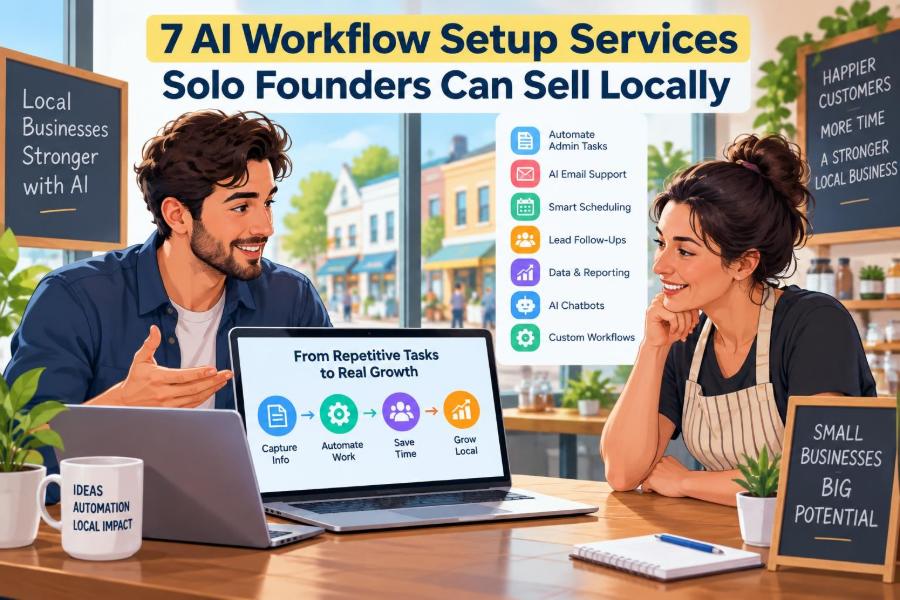

Local businesses do not usually need a custom AI model. They need fewer missed calls, faster follow-ups, cleaner admin, and a way to stop repeating the same small tasks after every enquiry, booking, or sale.
That gap is a practical opportunity for a solo founder. You can sell AI workflow setup: connecting the tools a business already uses, adding sensible automation, and training the owner or team to use it without turning their operation upside down.
This work suits people who are organised, comfortable speaking with business owners, and willing to learn no-code software. You do not need to be a programmer, but you do need to understand a client’s process before you automate it.
The timing matters because AI tools are now accessible, while many local firms are overwhelmed by choices. The valuable service is not “AI magic.” It is making one useful workflow work reliably, safely, and measurably.
🧭 1. Understand What You Are Actually Selling
Sell an outcome, not access to an AI tool. A plumber does not care that you connected five apps; they care that urgent leads get a reply while they are on a job.
A good offer has three parts: map the current process, build a simple workflow, and provide a short handover period. This makes the service understandable and limits endless support requests.
- Workflow audit: identify repetitive tasks, bottlenecks, and missing information.
- Setup: connect forms, inboxes, calendars, spreadsheets, customer records, and AI prompts.
- Handover: document the process, train staff, and fix early issues.
Position yourself as an implementation partner. Avoid implying that AI can replace judgment, solve every customer problem, or run unattended forever.
🎯 2. Pick a Narrow Local Market First
Start with businesses whose workflow you can understand quickly. A narrow niche lets you reuse templates, improve your sales message, and ask better questions in discovery calls.
| Local niche | Common workflow pain | Ease of selling | Profit potential |
|---|---|---|---|
| Home services | Missed calls and slow quote follow-up | High | Medium to high |
| Clinics and wellness practices | Booking, reminders, and intake admin | Medium | Medium |
| Estate and property agents | Lead qualification and listing content | Medium | High |
| Professional firms | Client intake and document summaries | Medium | Medium to high |
| Retail and hospitality | Review replies and customer questions | High | Low to medium |
Choose a niche with enough local businesses, a clear cost of delayed responses, and owners you can reach. Be careful with health, legal, financial, and other regulated work: sensitive data rules may restrict which tools and workflows are appropriate.
🧰 3. Build a Lean Service Stack
You can begin with a laptop, a professional email address, video-call software, a simple proposal template, and a small set of automation tools. Use free plans for practice, then have clients pay for their own subscriptions wherever possible.
- Automation: a no-code connector, webhook tool, or spreadsheet automation platform.
- AI: a reliable large-language-model service with clear privacy settings.
- Operations: forms, calendar scheduling, cloud documents, and a customer database or CRM.
- Documentation: screen recordings, process checklists, and a shared handover folder.
Estimated startup cost: roughly $50 to $300 for a domain, basic software, and test accounts, excluding a laptop. Costs vary widely by country, billing plan, and whether you buy training.
Do not sign clients into accounts you control unless your agreement clearly explains ownership, access, billing, and what happens at the end of the engagement.
📥 4. Lead-Response Automation for Home-Service Businesses
What it is
This workflow captures enquiries from a website form, social inbox, or call log; records them in a lead sheet or CRM; sends an immediate acknowledgement; and drafts a tailored follow-up for the owner to approve or send.
Target customers and setup
Think electricians, cleaners, landscapers, roofers, painters, mobile mechanics, and repair businesses. These owners are often away from a desk when leads arrive.
Estimated startup cost: $50 to $250 for your test environment and basic tools. Client software may cost an additional $20 to $150 per month, depending on their existing stack.
Useful skills include process mapping, CRM basics, writing concise service messages, and testing edge cases. You will need forms or inbox access, an automation platform, a spreadsheet or CRM, and an AI prompt that never invents prices or availability.
Customers, revenue, risks, and scale
Offer a free 15-minute “missed-lead check” to local firms. Ask how enquiries arrive, who replies, and how long it normally takes. Show a simple diagram rather than a complex technical demo.
- Revenue model: a fixed setup fee, often followed by a monthly monitoring and improvement fee.
- Risk: an inaccurate reply can create a customer-service problem. Keep price, scheduling, and technical advice behind owner approval.
- Scale: create one template per trade, then customise fields, service areas, and follow-up language.
📅 5. Appointment and Reminder Workflows for Practices
What it is
Set up a booking journey that confirms appointments, sends reminders, collects non-sensitive pre-visit details, and flags cancellations or no-shows for staff follow-up. AI can draft friendly reminder variants and classify routine messages.
Target customers and setup
Target salons, trainers, tutors, studios, dental practices, therapists, and wellness providers. For medical or clinical clients, do not casually process personal health information through consumer AI tools.
Estimated startup cost: $75 to $300, plus any scheduling, messaging, or database subscriptions used by the client. Privacy, consent, and record-keeping requirements differ by country and industry.
You need calendar and scheduling knowledge, basic consent design, message writing, and careful testing. Use only approved tools and involve the client’s compliance adviser where sensitive information is involved.
Customers, revenue, risks, and scale
Walk into businesses with empty appointment slots or call at quiet times. Lead with fewer no-shows and less receptionist admin, not with claims about AI replacing staff.
- Revenue model: charge for the setup, then offer quarterly workflow reviews or a monthly support plan.
- Risk: duplicate bookings, poor consent collection, or a reminder sent at the wrong time can damage trust.
- Scale: package separate versions for salons, tutors, and non-clinical wellness providers before approaching regulated practices.
🏠 6. Property Lead Qualification and Follow-Up Systems
What it is
Property professionals receive repetitive questions about budgets, location, timing, and viewing availability. Build a form or chat intake that collects the basics, scores the lead against rules chosen by the agent, creates a CRM record, and prepares a personal follow-up.
Target customers and setup
Independent estate agents, property managers, letting agencies, mortgage brokers, and relocation consultants are potential customers. Start with teams that already have lead forms but poor follow-up consistency.
Estimated startup cost: $75 to $350. Costs rise if the client needs a CRM upgrade, text-message sending, or integration with specialist property software.
Skills include lead-routing logic, CRM configuration, copywriting, and understanding when an automated message must hand off to a licensed professional. Tools may include web forms, calendar booking, CRM fields, automation software, and AI for first-draft replies.
Customers, revenue, risks, and scale
Contact small agencies with a short observation: “Your site invites valuation requests. What happens after someone submits one at 7 p.m.?” That question starts a useful conversation without a hard sell.
- Revenue model: a setup package plus per-office support, CRM cleanup, or campaign add-ons.
- Risk: automated statements about properties, lending, or legal terms can be wrong. Keep factual claims tied to approved source data.
- Scale: build reusable qualification forms and agent handoff sequences for buyers, sellers, landlords, and tenants.
⭐ 7. Review, Feedback, and Reputation Response Systems
What it is
This service requests feedback after a purchase or visit, routes unhappy customers to a private resolution form where appropriate, tracks themes, and drafts review responses for human approval. It helps owners see recurring issues instead of treating every review as an isolated event.
Target customers and setup
Good prospects include restaurants, cafes, salons, gyms, repair shops, hotels, and local retailers. They usually understand the value quickly because public reviews visibly affect their reputation.
Estimated startup cost: $25 to $200, assuming you use common forms, spreadsheets, and automation tools. Do not use workflows that pressure customers, fabricate reviews, or violate a platform’s rules.
You need tactful writing, simple data categorisation, and an approval process. The AI should draft in the business’s voice, while a person decides whether a response is appropriate.
Customers, revenue, risks, and scale
Audit a prospect’s recent reviews manually. Bring three useful observations: a repeated compliment, a repeated complaint, and one response that could have been warmer or clearer.
- Revenue model: setup fee plus a monthly dashboard, response-draft service, or quarterly insight report.
- Risk: a defensive automated response can make a public situation worse. Require approval for negative reviews.
- Scale: offer category-specific response libraries for hospitality, beauty, fitness, and home services.
📄 8. Client Intake and Document Triage for Professional Firms
What it is
Create a structured intake form, automatically create a matter or project record, organise uploaded documents, and generate a concise internal summary for staff. The purpose is faster preparation, not automated professional advice.
Target customers and setup
Consider accountants, bookkeepers, insurance brokers, consultants, recruiters, and small legal firms. Begin with lower-risk administrative flows such as consultation requests, onboarding checklists, or document collection.
Estimated startup cost: $100 to $500 because secure storage, access controls, and specialist software may be needed. Local privacy laws, professional rules, taxes, and document-retention obligations vary, so clients should confirm their compliance requirements.
Required skills include secure workflow design, permissions, form logic, document naming conventions, and quality checks. Never promise that an AI summary is complete or accurate enough to act on without professional review.
Customers, revenue, risks, and scale
Ask firms where a new client waits the longest and which documents arrive incomplete. An intake workflow is easier to sell when it removes a visible back-and-forth loop.
- Revenue model: discovery workshop, implementation project, then a retainer for updates and staff support.
- Risk: confidential data exposure and incorrect summaries are serious. Use approved systems, least-privilege access, and mandatory human review.
- Scale: turn your process into vertical templates, but customise security and retention rules for every client.
🛒 9. Local Retail Content and Customer-Question Workflows
What it is
Help a shop turn product details, promotions, and frequently asked questions into a repeatable content system. For example, a staff member adds new stock to a sheet, the workflow drafts product captions and email copy, and an owner approves content before it is published.
Target customers and setup
Independent shops, specialty food stores, boutiques, florists, pet shops, and local makers are good fits. They often have plenty to say but no repeatable process for turning daily activity into marketing.
Estimated startup cost: $25 to $200. A client may also need email, ecommerce, or social scheduling software.
You need content strategy, editing, brand-voice prompts, basic product data organisation, and clear approval steps. Do not set up uncontrolled auto-posting; wrong prices, stock levels, or claims can frustrate customers.
Customers, revenue, risks, and scale
Bring a one-page sample workflow to a local shop. Show how one new product can become a staff briefing, an email draft, three social ideas, and answers to common questions.
- Revenue model: a content-system setup, a monthly optimisation plan, or a small recurring fee for managed drafts.
- Risk: generic content and false product claims weaken a local brand. Keep a human editor and a source-of-truth product sheet.
- Scale: build seasonal campaign templates for retail categories, then add email and loyalty-program integrations.
💬 10. Internal Knowledge Assistants for Small Teams
What it is
Many small teams store answers in old emails, shared folders, and one experienced employee’s memory. Build a simple internal assistant that searches approved policies, FAQs, service procedures, and training notes, then points staff to the relevant source.
Target customers and setup
Target franchises, multi-location service firms, agencies, trades businesses with several staff, and growing local companies. This is especially useful when new hires repeatedly ask the same operational questions.
Estimated startup cost: $100 to $600, depending on document storage, access controls, and the chosen AI platform. Start with non-sensitive operational information.
You need document cleanup, information architecture, prompt design, permissions management, and an instinct for what should not be included. The best assistant says “I do not know” when the source material is absent.
Customers, revenue, risks, and scale
Offer a “top 20 repeated questions” workshop. If the owner can list questions staff ask every week, you have the beginning of a valuable knowledge base.
- Revenue model: charge for knowledge-base preparation and assistant setup, then retainers for content maintenance.
- Risk: outdated policies can produce bad answers. Assign one client-side owner to approve updates.
- Scale: use a standard onboarding checklist, document taxonomy, and quarterly content review process.
🔍 11. Run Discovery Before You Build
Your first job is to understand the existing workflow in painful detail. Do not open an automation tool until you know who starts the task, what information they use, what exceptions occur, and who owns the final decision.
- Ask the owner to show you the process using a real recent example.
- Write each step, tool, handoff, and delay in plain language.
- Find one narrow task that happens often and has a clear outcome.
- Define what stays human: pricing, clinical judgment, legal advice, refunds, or sensitive replies.
- Agree on a small pilot before proposing a large transformation.
A common mistake is automating a messy process exactly as it is. Simplify the process first, then automate the stable part.
💰 12. Price the First Offer Around Scope, Not Hype
Early pricing should reward the value of your time and the complexity of the workflow, while remaining easy for a local owner to understand. Avoid charging solely by the number of apps connected; a two-app workflow can be more demanding than a six-app workflow.
- Starter audit: fixed fee for mapping opportunities and recommending one workflow.
- Implementation package: fixed price covering agreed integrations, tests, documentation, and training.
- Care plan: monthly fee for monitoring, small changes, and an agreed support limit.
State assumptions in writing: client response times, tool subscriptions, number of revisions, staff training sessions, and what counts as new work. Taxes, invoicing rules, and contract requirements vary by country, so use local professional advice when needed.
🤝 13. Get Your First Local Customers Without Pretending to Be Famous
Your advantage is proximity and relevance. Make a short list of 30 businesses in one niche within a reasonable travel area, then research each one enough to make your outreach specific.
- Ask friends, former colleagues, and local business groups for introductions.
- Visit businesses at non-peak hours and ask permission to send a one-page idea.
- Offer a paid or tightly scoped pilot rather than free custom work.
- Run a small workshop at a coworking space, chamber, or networking group.
- Share anonymised process diagrams and lessons, never confidential client details.
A useful opening is: “I help local service businesses reply to new enquiries faster without adding another inbox. Would it be useful if I showed you a simple example?” Keep it conversational and accept no gracefully.
🛡️ 14. Build Trust, Privacy, and Reliability Into Every Workflow
Automation that saves ten minutes but creates one data leak is not a good business. Treat security and permission design as part of the service, not a technical afterthought.
- Use client-owned accounts where possible.
- Collect only the information needed for the workflow.
- Limit access by role and remove access when staff leave.
- Document where data enters, moves, and is stored.
- Build alerts for failures and a manual fallback process.
- Get explicit client approval before using sensitive data with any AI service.
Be especially cautious with personal, financial, health, legal, and children’s data. You are not a lawyer or compliance officer unless qualified as one, so make your boundaries clear and encourage clients to obtain appropriate advice.
📊 15. Measure Results That a Busy Owner Can See
Track a few baseline numbers before launch, then compare them after the workflow has run long enough to be useful. Do not claim causation when several marketing or operational changes happened at once.
| Workflow type | Useful metric | Simple target direction |
|---|---|---|
| Lead response | Median first-response time | Lower |
| Appointment reminders | No-show rate and staff time spent | Lower |
| Property intake | Qualified leads booked for follow-up | Higher |
| Reviews | Feedback requests sent and themes resolved | Higher and clearer |
| Knowledge assistant | Repeated internal questions and onboarding time | Lower |
Also track workflow failures, manual overrides, and staff complaints. These are not embarrassing metrics; they tell you where the system needs improvement.
📦 16. Turn Custom Work Into Repeatable Packages
After two or three similar projects, write down what repeats. Your goal is not to eliminate customisation; it is to stop rebuilding the same foundations from scratch.
- Create a standard discovery questionnaire.
- Save tested workflow blueprints and prompt templates.
- Use a consistent proposal, onboarding checklist, and handover guide.
- Define optional add-ons such as reporting, training, and extra integrations.
- Schedule maintenance reviews instead of waiting for emergencies.
Packaging makes sales easier because clients can buy a clear outcome. It also protects your capacity, which is crucial when you are a solo founder.
🚫 17. Avoid the Mistakes That Create Expensive Support Work
The fastest route to frustration is selling an ambitious “AI transformation” to a client with no documented process, no internal owner, and no time to participate. Start smaller than you think you need to.
- Do not automate decisions that need professional judgment.
- Do not hide tool costs or leave account ownership unclear.
- Do not use vague prompts without testing unusual inputs.
- Do not launch without error alerts, logs, and a manual fallback.
- Do not promise revenue gains you cannot verify.
- Do not support unlimited changes on a low fixed-price project.
Your reputation will come from dependable work, honest boundaries, and fast communication when something needs attention.
✅ 18. Your Action Plan for This Week
- Pick one niche and one workflow from this article.
- Build a demo using fictional data, including an approval step and an error path.
- Write a one-page offer with scope, estimated client tool costs, timeline, and exclusions.
- Make a list of 30 local prospects and contact five each day.
- Book three discovery conversations, even if the first goal is learning rather than selling.
- Document every question prospects ask; those questions will shape your package.
You do not need to sell artificial intelligence as a miracle; you need to solve one repetitive business problem with care, clarity, and a workflow the client can trust. 🤖🛠️📍