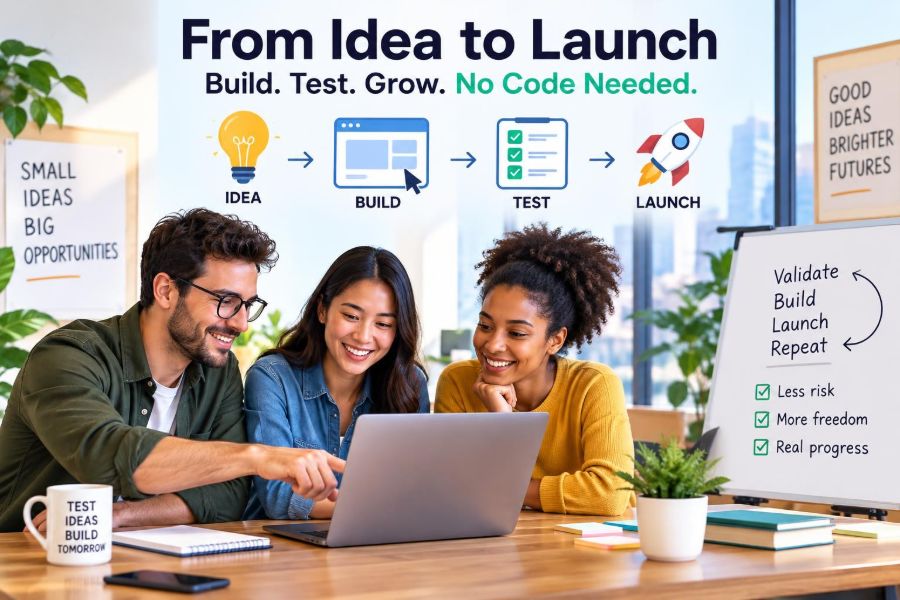

You do not need to build a full app to discover whether a startup idea deserves your time. In the earliest stage, your job is not to impress investors or engineer a perfect product. It is to learn whether a specific group of people has a costly, frequent problem and will take action to solve it.
No-code tools make that learning cycle cheaper and faster. A landing page, form, lightweight database, automation, payment link, and simple customer portal can now imitate much of a software business well enough to test demand.
This approach suits aspiring founders, consultants turning expertise into products, side hustlers with limited capital, and local business owners exploring a digital offer. It is especially useful when you understand a customer problem but do not yet know the right solution.
It matters now because customers expect convenience, but they do not care whether your first version uses custom code. They care whether it saves time, makes money, reduces stress, or helps them reach an outcome. Use no-code to prove that value before committing to a larger build.
🧭 1. Start With a Problem Worth Testing
A no-code stack is not an idea generator. Begin with a narrow, observable problem: independent gyms lose trial leads, property managers chase maintenance updates, or tutors spend evenings scheduling lessons.
Choose a problem where the customer already uses a workaround. Spreadsheets, inbox chaos, manual reminders, and outsourced admin work are useful signals. They show that someone is already paying with money, time, or frustration.
- Good test: “Can we help freelance accountants collect missing client documents?”
- Weak test: “Will people want an AI platform for productivity?”
- Best starting point: a customer group you can reach directly this month.
Write one hypothesis: “If I offer a simpler way for X to achieve Y, they will give me Z.” Z might be an email address, a booked call, a deposit, or a paid pilot. The stronger the commitment, the better the evidence.
🎯 2. Define One Customer and One Job
Trying to serve “small businesses” produces vague pages and confusing products. Pick a customer with a shared workflow, vocabulary, budget range, and reason to act.
Describe the job they are trying to do, not merely the software category you hope to build. A restaurant owner may not want “inventory software”; they want to avoid running out of high-margin ingredients without spending Sunday in a spreadsheet.
A simple customer brief
- Customer: independent restaurant with one or two locations.
- Trigger: stock errors, waste, or a supplier price change.
- Current workaround: paper counts and messaging staff.
- Desired outcome: an accurate weekly ordering list in minutes.
- Buying obstacle: staff will not adopt another complex tool.
Interview five to ten people before building. Ask about their last real incident, what they did, and what it cost. Avoid leading questions such as “Would you use my app?” Past behavior is more reliable than polite enthusiasm.
🧪 3. Choose the Right Type of No-Code Test
Different questions require different tests. Do not build a portal when a page can answer whether anyone cares, and do not rely on a survey when you need evidence that people will pay.
| Test type | Question answered | Estimated cost | Effort | Strong signal |
|---|---|---|---|---|
| Landing page | Is the message attractive? | $0-$50 | Low | Qualified sign-ups |
| Concierge service | Will customers value the outcome? | $0-$150 | Medium | Repeat use or payment |
| Paid pilot | Is there budget and urgency? | $0-$300 | Medium | Deposit or invoice paid |
| Prototype portal | Will users complete the workflow? | $30-$300 monthly | Higher | Active weekly use |
These are estimates, not fixed prices. Tool subscriptions, payment fees, advertising costs, taxes, and legal requirements vary by country and by your business model.
🪧 4. Build a Landing Page Before a Product
A landing page is your fastest market test. It should make one clear promise to one clear person, explain how the offer works, and ask for one action.
Use a no-code page builder, a simple form, and a calendar or payment tool. You do not need animation, a long feature list, or a polished brand system. You need a message customers understand in seconds.
- Headline: name the painful outcome or desirable result.
- Subheading: explain who it is for and the mechanism in plain language.
- Proof: use your process, screenshots, sample output, or a transparent early-access explanation.
- Call to action: “Book a pilot call,” “Request access,” or “Reserve a setup slot.”
Never pretend a manual service is automated. You can say “Early access: we deliver the first reports personally while we build the platform.” Honesty builds better feedback and prevents trust problems later.
📣 5. Test the Message, Not Just the Design
Create two or three versions of your page with different problem-led headlines. For a bookkeeping workflow, one version might lead with faster month-end close, another with fewer missing receipts, and a third with less client chasing.
Send each version to comparable audiences over a short, defined period. Use direct outreach, relevant communities where promotion is permitted, local networks, partnerships, or modest ad tests if you understand the economics.
Track the path, not vanity metrics. A thousand visitors mean little if none match your customer profile or take the next step.
- Visitor-to-sign-up rate: whether the message resonates.
- Sign-up-to-call rate: whether interest has urgency.
- Call-to-pilot rate: whether the offer solves a real problem.
- Source quality: which channel sends customers who fit.
Do not declare victory from compliments, likes, or email addresses alone. Look for conversations, calendar commitments, deposits, and repeat behavior.
📝 6. Turn Interviews Into a Research System
Use a form and database to store every discovery conversation in the same format. Capture the customer segment, exact language used, current process, consequence of the problem, alternatives, buying authority, and follow-up date.
A lightweight customer relationship management system can be built with a spreadsheet-like database, form, automation, and email tool. The important part is consistency, not the platform.
Questions that uncover useful evidence
- “Tell me about the last time this happened.”
- “What did you do next?”
- “How long did that take, and who was involved?”
- “What have you tried already?”
- “What would make solving this a priority now?”
Review notes weekly. Repeated phrases become landing-page copy. Repeated objections become product requirements or qualification criteria. A founder who documents interviews will outlearn a founder who trusts memory.
🧑💼 7. Run a Concierge MVP First
A concierge minimum viable product delivers the promised result manually behind the scenes. If you want to offer weekly competitor monitoring, gather and summarize the information yourself at first. If you want to streamline onboarding, guide the customer through a structured process personally.
This is one of the best real-world uses of no-code: forms collect inputs, a database tracks work, automations assign tasks, and dashboards show progress. Customers experience an organized service while you learn what actually matters.
The goal is not to create unpaid busywork. Charge a setup fee, pilot fee, or recurring service price as early as reasonably possible. A paid manual workflow reveals willingness to pay and exposes where future software can save labor.
Watch for repeated steps. Those are your automation candidates. Requests that occur only once should not automatically become product features.
⚙️ 8. Automate the Repetitive Middle
After a few manual deliveries, map the workflow from customer input to customer outcome. Identify handoffs, copy-and-paste tasks, reminders, calculations, and status updates. Automate the stable steps first.
A practical stack often includes a form for intake, a database for records, an automation platform for triggers, an email or messaging system for notifications, and a client-facing page for results. Add components only when they remove a verified bottleneck.
New form submission → create customer record → notify operator
Operator approves request → generate task list → send status update
Task completed → update dashboard → request feedback and payment
Test error paths before inviting customers. What happens when a field is blank, a payment fails, a duplicate record arrives, or an automation runs twice? No-code systems are powerful, but unreliable data can create very real customer problems.
🗂️ 9. Create a Useful Customer Portal
A portal is worthwhile when customers repeatedly need to submit information, view progress, access deliverables, or collaborate. It is not worthwhile merely because a portal looks like a “real startup.”
For example, a local marketing service could give clients one place to submit promotion requests, approve content, and review monthly results. A coaching business could centralize onboarding, session notes, and habit tracking.
- Keep permissions simple: customers see only their records.
- Show the next action: upload, approve, book, or review.
- Use plain labels: customers should not need training to navigate.
- Collect feedback in context: ask after a task is completed.
Be careful with sensitive personal, financial, health, or employment data. Check the tool’s security settings, data-processing terms, local privacy laws, and any industry-specific regulations before storing customer information.
💳 10. Test Pricing With a Real Ask
Pricing is a test of positioning, not a number you choose in isolation. Put a real price or price range in front of qualified prospects and listen to what happens. Free interest can hide weak demand.
Start with a simple structure: a one-time setup fee, a monthly service fee, a per-project fee, or a paid pilot that converts into a subscription. Make the scope clear so you do not accidentally sell unlimited custom work for a tiny price.
Example early offers
- Service pilot: “Four weeks of managed reporting for a fixed fee.”
- Setup plus subscription: “We configure your workflow, then maintain it monthly.”
- Usage-based: “Pay per processed request or completed booking.”
Use payment links, invoices, and basic bookkeeping tools to create a professional process. Payment providers charge fees, and sales tax, VAT, income tax, invoicing rules, and business-registration requirements differ by location. Get appropriate local accounting or legal advice as you grow.
🤝 11. Find First Customers Through Direct Outreach
Your first customers are usually found, not discovered by an algorithm. Make a short list of people and businesses who closely match your chosen segment. Warm introductions are ideal, but respectful cold outreach can work when it is specific.
Lead with the problem you are researching, not a generic pitch. Ask for a short conversation. If they confirm the problem, offer a small, clearly bounded pilot.
Hi [Name], I am researching how [specific role] handles [specific workflow].
I have heard that [credible, narrow pain]. Is that something you deal with?
I am testing a simple service that helps with [outcome]. Would you be open to a 15-minute conversation?
Personalize every message at this stage. Sending mass unsolicited messages may damage your reputation and may be restricted by anti-spam rules. Ten thoughtful contacts are more useful than hundreds of generic ones.
🌐 12. Use Partnerships and Local Channels
No-code businesses often gain traction through trusted distribution rather than expensive advertising. Look for accountants, agencies, consultants, trade associations, coworking spaces, community organizers, and software implementers who already serve your customer.
Offer a useful workshop, checklist, audit, or pilot for their audience. A partner is more likely to introduce you if your offer makes them look helpful and does not compete with their core business.
For local businesses, test geographic focus. Serving one city, neighborhood, or trade can make onboarding, referrals, and customer research much easier. You can expand later after your operating process works.
- Track partner source and introductions received.
- Track meetings booked and pilots started by source.
- Agree referral terms in writing before money changes hands.
- Do not promise results a partner cannot reasonably support.
📊 13. Build a Tiny Metrics Dashboard
A dashboard should help you make a decision, not create the illusion of progress. Connect your forms, sales pipeline, payments, and customer database to a simple reporting view or spreadsheet.
Review a handful of metrics every week:
- Qualified leads: prospects who match your customer definition.
- Activation: customers who complete the key first action.
- Time to value: time from sign-up to the promised outcome.
- Conversion: leads who become paying customers.
- Retention: customers who return or renew.
- Delivery margin: revenue minus direct tools, labor, and payment costs.
If a metric is weak, investigate the workflow. Low conversion may indicate poor targeting, weak urgency, or a confusing offer. Low retention may mean you solved a one-off problem rather than a recurring one.
🔁 14. Use Feedback Loops Instead of Feature Lists
Every pilot should end with a structured review. Ask what was valuable, what was confusing, what they would miss if it disappeared, and what they would pay to keep. Then compare answers with actual use and payment behavior.
Maintain an evidence-based backlog. Label requests by customer segment, frequency, impact on the core outcome, and implementation effort. A feature requested loudly by one customer may be a custom-service need, not a product opportunity.
Prioritize improvements that reduce a recurring pain, shorten time to value, improve reliability, or remove manual work for several customers. Delay features that only make the interface look more sophisticated.
🧱 15. Know When No-Code Is Enough
No-code can support far more than a landing page. It can run service businesses, internal workflows, marketplaces with careful manual operations, membership programs, scheduling systems, directories, and early software products.
Keep it when it is reliable, affordable, maintainable, and secure enough for your stage. The correct question is not “Is this code?” It is “Can we deliver the promised outcome consistently?”
Document your automations, field definitions, permissions, and manual fallback steps. When only one founder understands the stack, a minor change can halt the business. Operational documentation is a scaling asset.
🚧 16. Recognize the Signals to Rebuild
Custom development becomes sensible when your no-code system creates material risk or cost. Common signals include slow performance at necessary volume, complex permission requirements, a core workflow that requires too much manual intervention, recurring integration failures, or unit economics damaged by tool fees.
Do not rebuild because a developer says the stack is inelegant. Rebuild when you can specify the proven workflow, quantify the limitation, and explain how custom software improves revenue, retention, reliability, or cost.
- Export your data regularly where possible.
- Keep customer records portable and clean.
- Document the exact workflow before hiring developers.
- Build only the proven core process first.
A no-code prototype is not wasted when replaced. It is detailed product research paid for by real customer use.
⚠️ 17. Avoid the Most Common No-Code Mistakes
The biggest mistake is building in private for months. The second is mistaking tool activity for customer progress. Automations, dashboards, and polished screens are satisfying; conversations and paid pilots are more valuable.
- Too many tools: start with the smallest stack that can deliver the result.
- Over-automation: automate only a process you understand from manual delivery.
- Weak data hygiene: use required fields, naming rules, and duplicate checks.
- No backup process: write what happens if an automation or integration fails.
- Ignoring compliance: treat privacy, consent, contracts, taxes, and sector rules seriously.
- Underpricing custom work: define scope, revision limits, and support boundaries.
Also avoid claiming capabilities your stack cannot reliably provide. A missed appointment reminder or exposed record can do more damage than a plain-looking first version.
📈 18. Scale the Business, Not Just the Stack
Scaling means delivering a repeatable outcome to more of the right customers with healthy economics. First standardize your offer, onboarding, delivery checklist, support process, and reporting. Then decide which parts need automation, contractors, partnerships, or software.
Productize what repeats. A managed service can become a package with defined inputs, turnaround times, and tiers. A common request can become a self-serve workflow. A proven niche can become a focused product rather than a broad platform.
Keep speaking with customers as volume grows. The market will change, and early assumptions can become stale. The founder advantage is not access to more tools; it is the discipline to keep learning faster than competitors.
✅ 19. Your Action Plan for This Week
Do not try to build the entire business this week. Run one clean learning cycle.
- Choose one customer segment and write one problem hypothesis.
- Book five problem interviews using personal outreach.
- Create a one-page offer with a single call to action.
- Set up a form, simple database, and follow-up email.
- Offer one narrowly scoped paid or free-for-feedback pilot, with clear boundaries.
- Track conversations, commitments, payments, and objections in one place.
- At week’s end, decide: refine the message, change the segment, test price, or stop.
That decision is progress even if the answer is “not this idea.” A small failed test is far cheaper than building a product nobody needs.
No-code tools are most powerful when they help you earn evidence before you earn complexity. Start small, stay close to customers, and let real behavior guide the next build. 🚀🛠️